Pipeline (ATS)
A pipeline that ranks itself by evidence, not gut feel.
Kanban stages, team ratings, automatic emails, analytics: every candidate arrives scored and ordered before you open the board. The shortlist meeting gets short.

What does the pipeline include?
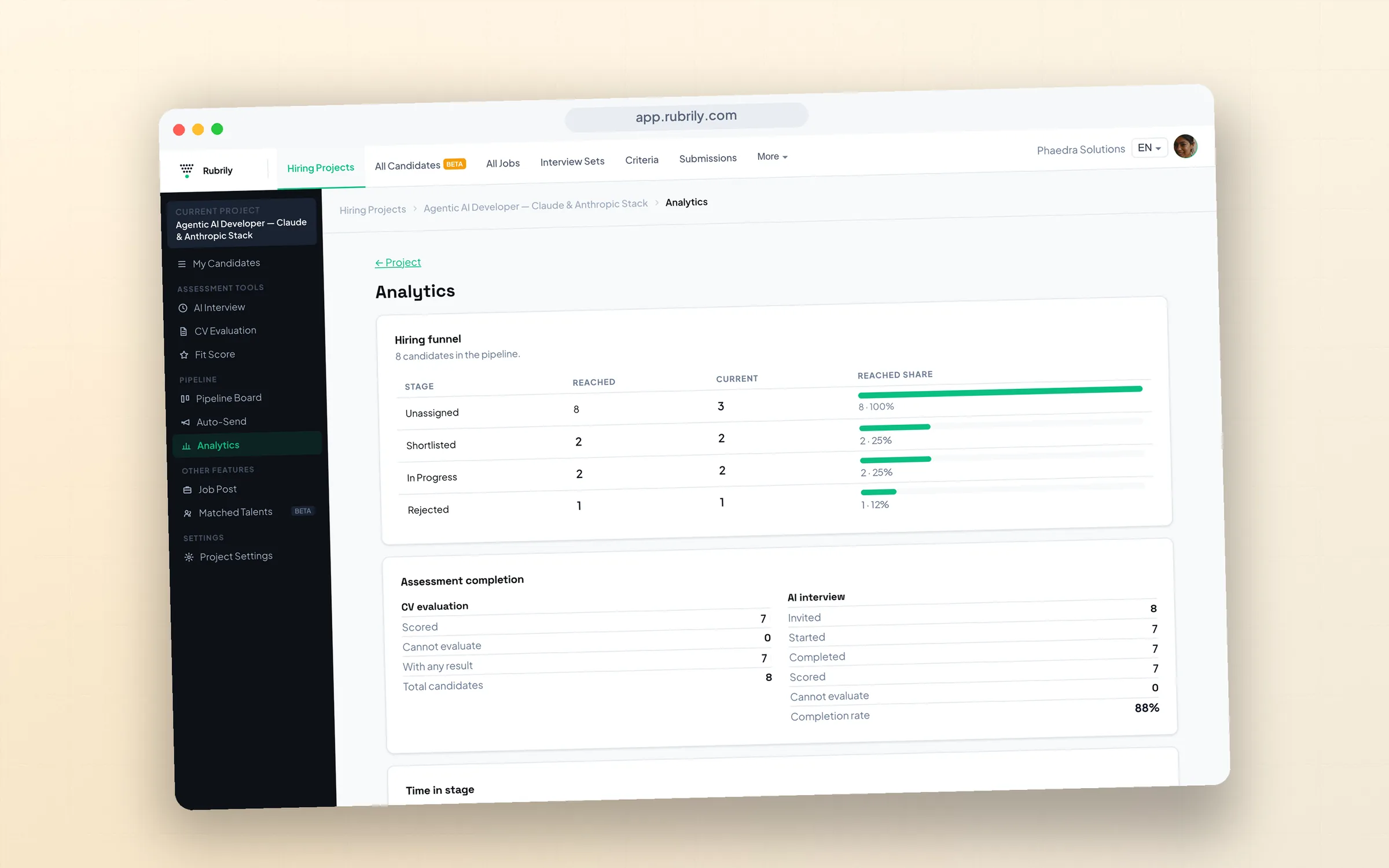
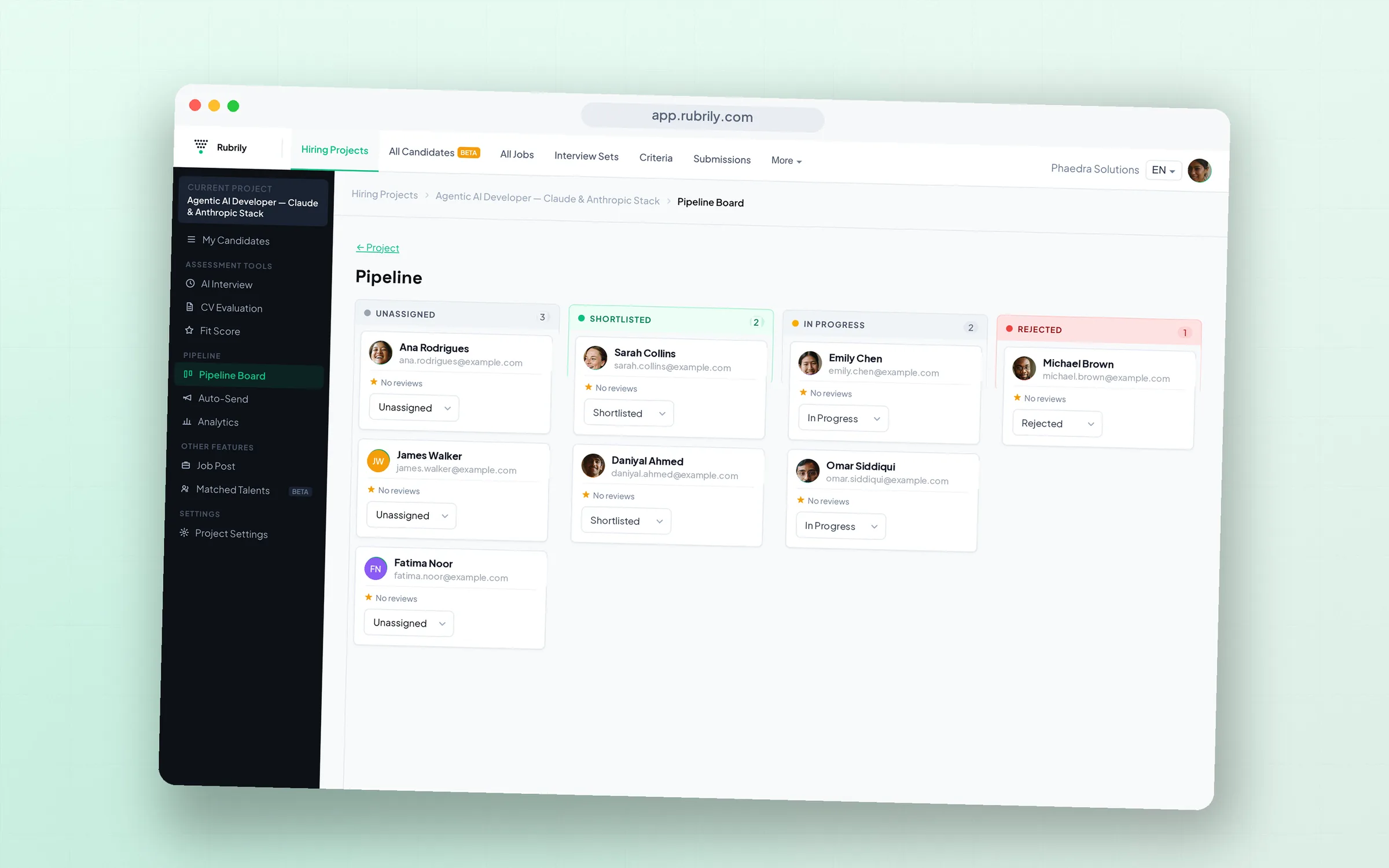
Each hiring project gets a Kanban board with candidate stages, a sortable list view, per-candidate comments and 0–10 team ratings, automatic stage-triggered emails, CSV and PDF export, an org-wide talent pool, and analytics covering funnel, assessment completion, and time-in-stage.
Board and list, sorted by evidence
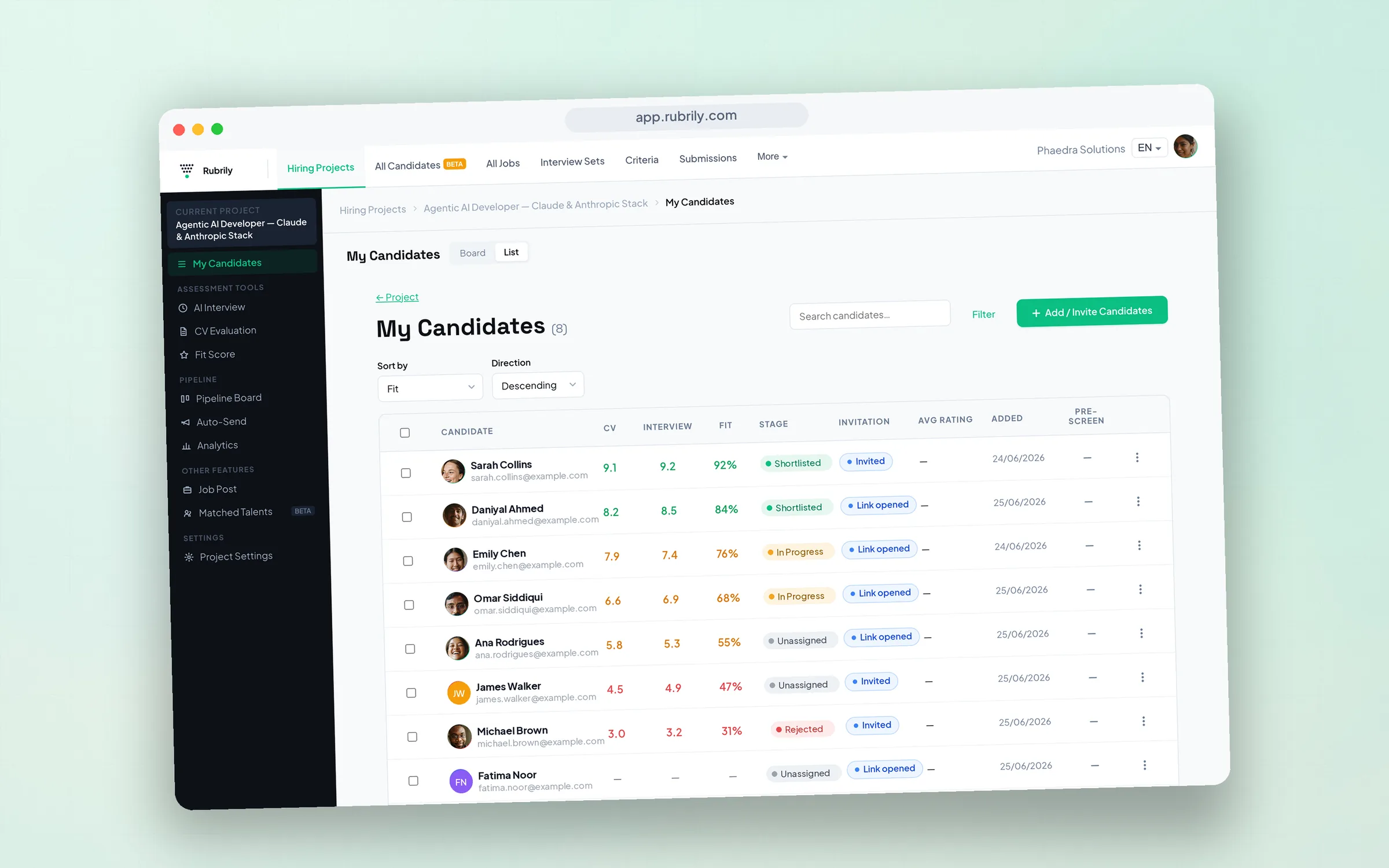
Drag candidates between stages on the Kanban board, or work the list view sorted by 0–100% Fit Score, interview score, CV score, or recency. Filter by score bands, stage, or invitation status. Candidate cards carry their scores, so the pipeline itself is a ranking, not just a tracker.
Can I customize pipeline stages?
Yes. Stages are configurable per project, and candidates move by drag-and-drop on the board or inline from the list and submissions tables. Stage changes can trigger automatic emails, so moving a candidate to Rejected or Shortlisted can also send the right message, without you writing it.
Auto-send emails
Does it send emails automatically?
Yes. Auto-Send rules email candidates when they enter a stage, immediately or after a delay. A delayed send cancels itself if the candidate leaves the stage first, so nobody gets a stale rejection. Emails go out from your organization’s own connected mailbox, using templates with merge tokens.
Team decisions, on the record
Every candidate has a shared report: comments from your team, 0–10 ratings averaged across reviewers, and a full activity history. Export any candidate (or a selection) as CSV or PDF, or share an anonymized report link with a client, PII scrubbed, so you can show your work without handing over your candidate.
The org-wide layer
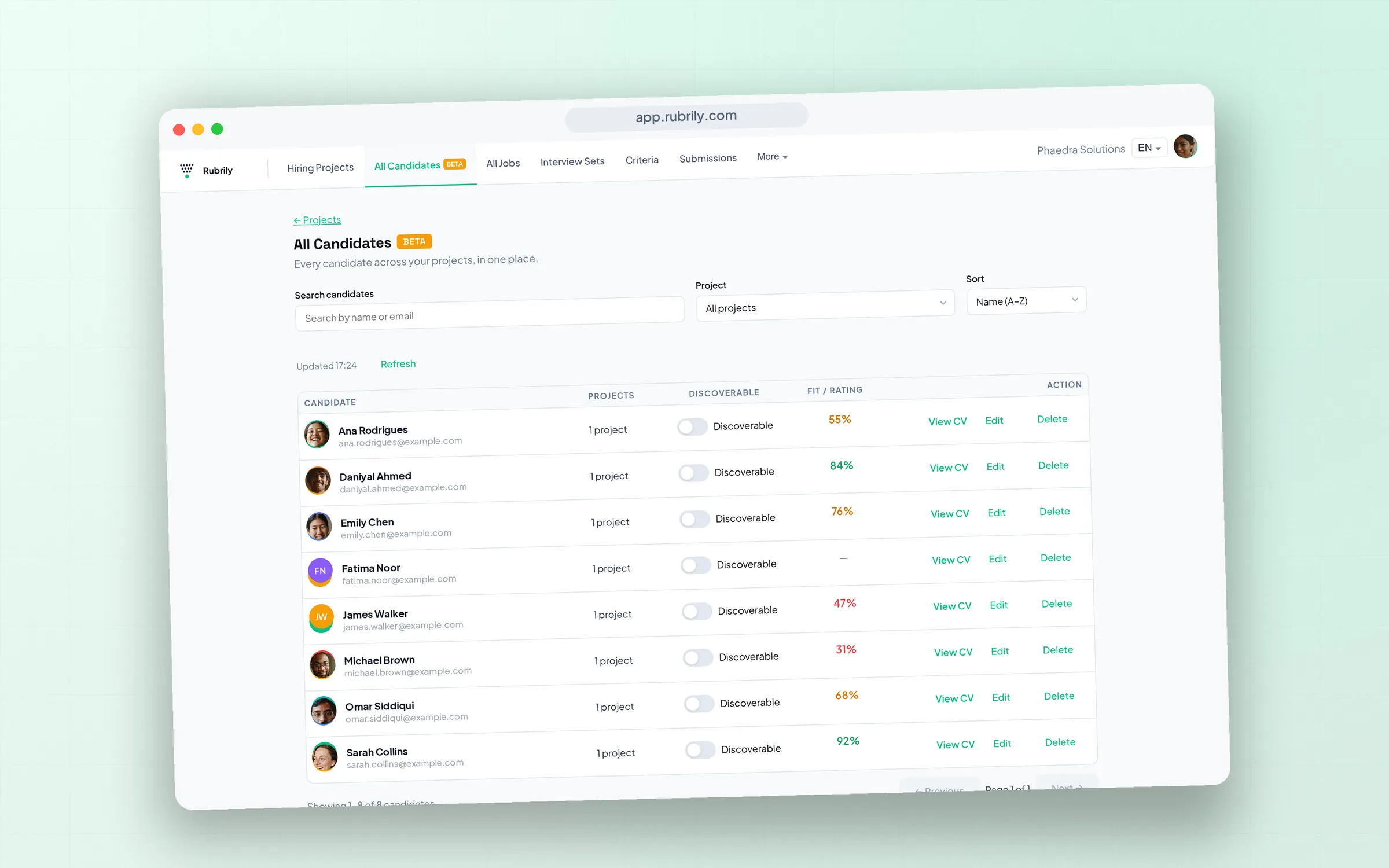
The talent pool holds every candidate across all projects: searchable, with per-candidate discoverability controls, because one applicant can belong to several roles. Analytics show your funnel by stage, assessment completion rates, and time-in-stage, per project, so you spot where candidates stall while there’s still time to fix it.