
Job Posts & Careers
Your careers page starts screening the moment someone applies.
Publish a branded job post, share one link everywhere, and let applicants flow straight into pre-screening and the AI interview. Your careers page composes itself: no page builder, no separate tool.

Do I get a careers page?
Yes, automatically. Your careers page is composed from your company branding and every job post you've published and boosted to the network: searchable, grouped by function, on your own careers URL. There's nothing to design or maintain; publishing a post is what updates the page.
The job post
Compose the post once: role description, quick facts (workplace, employment type, salary shown as a range or hidden when negotiable), your branding, pre-screening questions on or off, and auto-invite to the AI interview on or off. Your apply link is always live to share anywhere: paste it into LinkedIn, job boards, or a WhatsApp message; applicants land in your pipeline either way.
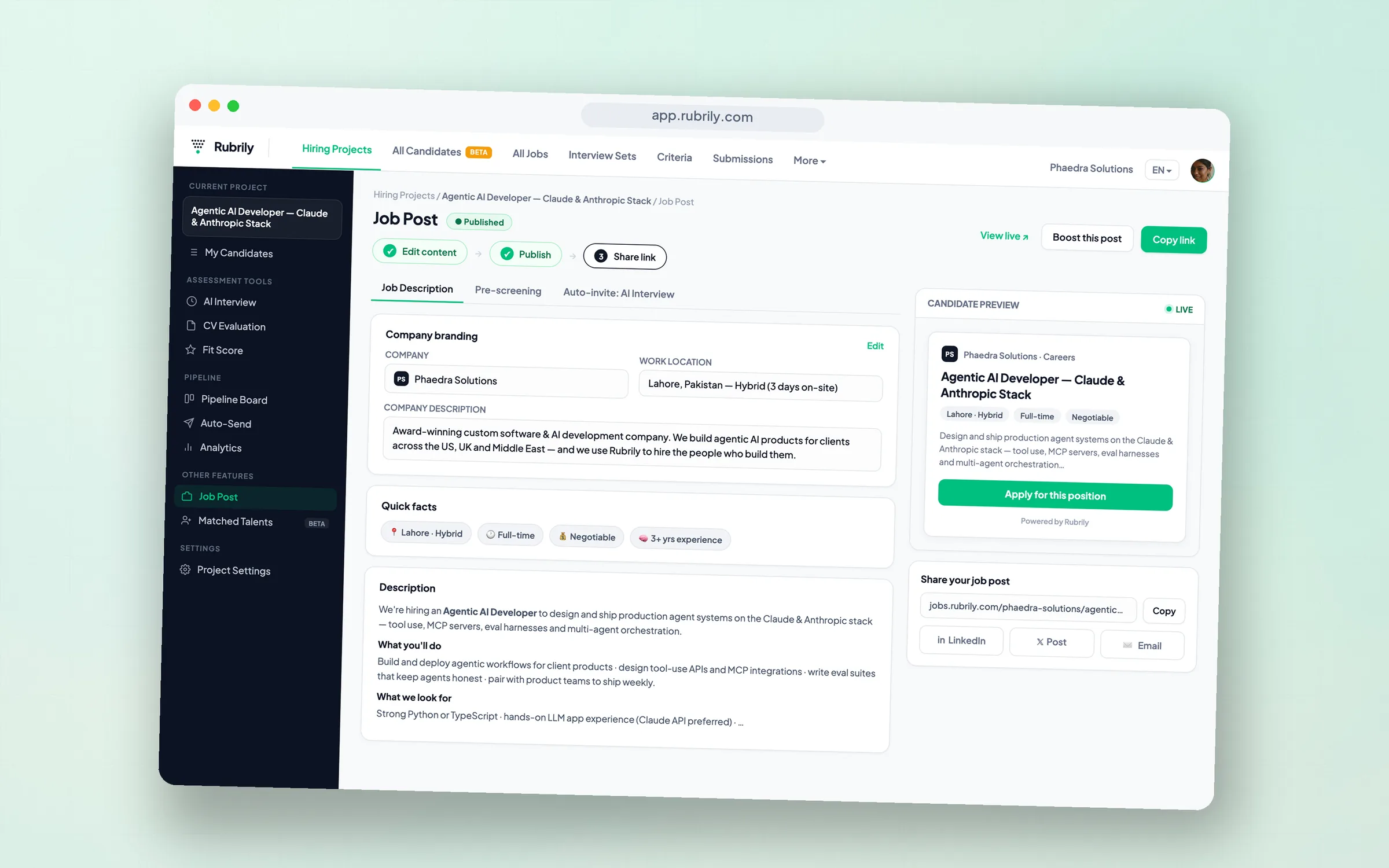
From application to scored candidate
The apply form is deliberately short. Three fields: name, email, CV (PDF, DOC, or DOCX, up to 5 MB). Applicants enter your pipeline as Source = Applied, and with auto-invite on, the AI-interview invitation triggers by itself, so by the time you look, applicants are already becoming scored, ranked candidates. Every applicant from your careers page lands in the same rubric-scored screen: interviewed, evaluated, and ranked like everyone else.
Boost: choose your reach
What is Boost?
Boost is the per-post visibility setting, with three reach tiers. Link Only keeps a post reachable by your link alone; Rubrily Network lists it on your careers page and recommends it to matching candidates across the network; Extended Network adds best-effort syndication to partner job boards. Your apply link works in every tier.
| Tier | Where the post appears |
|---|---|
| Link Only | Anyone with your link can apply; hidden from your public careers page, not sent to job boards |
| Rubrily Network | Listed on your careers page + recommended to matching candidates across the Rubrily network |
| Rubrily + Extended Network | Everything above, plus best-effort syndication to partner job boards |
Frequently asked questions
Do candidates need an account to apply?
Can I keep using my existing job boards?
What shows on my careers page?
Is the careers page really free?
Works with
- AI Interviewer auto-invite
- Pipeline intake
- Matched Talents (BETA) resurfaces past candidates for new roles.